Planiven
Manage invitations, guests, seating, schedules, and check-in.
PLAN EVENTS WITHOUT SPREADSHEETS
One event
Everything you need for a single event.
Guests
Keep invitations and RSVPs in one place.
Visual seating
Arrange tables and seats on a floor plan.
Explore Planiven
Build and publish your invitation.
Build and publish your invitation.
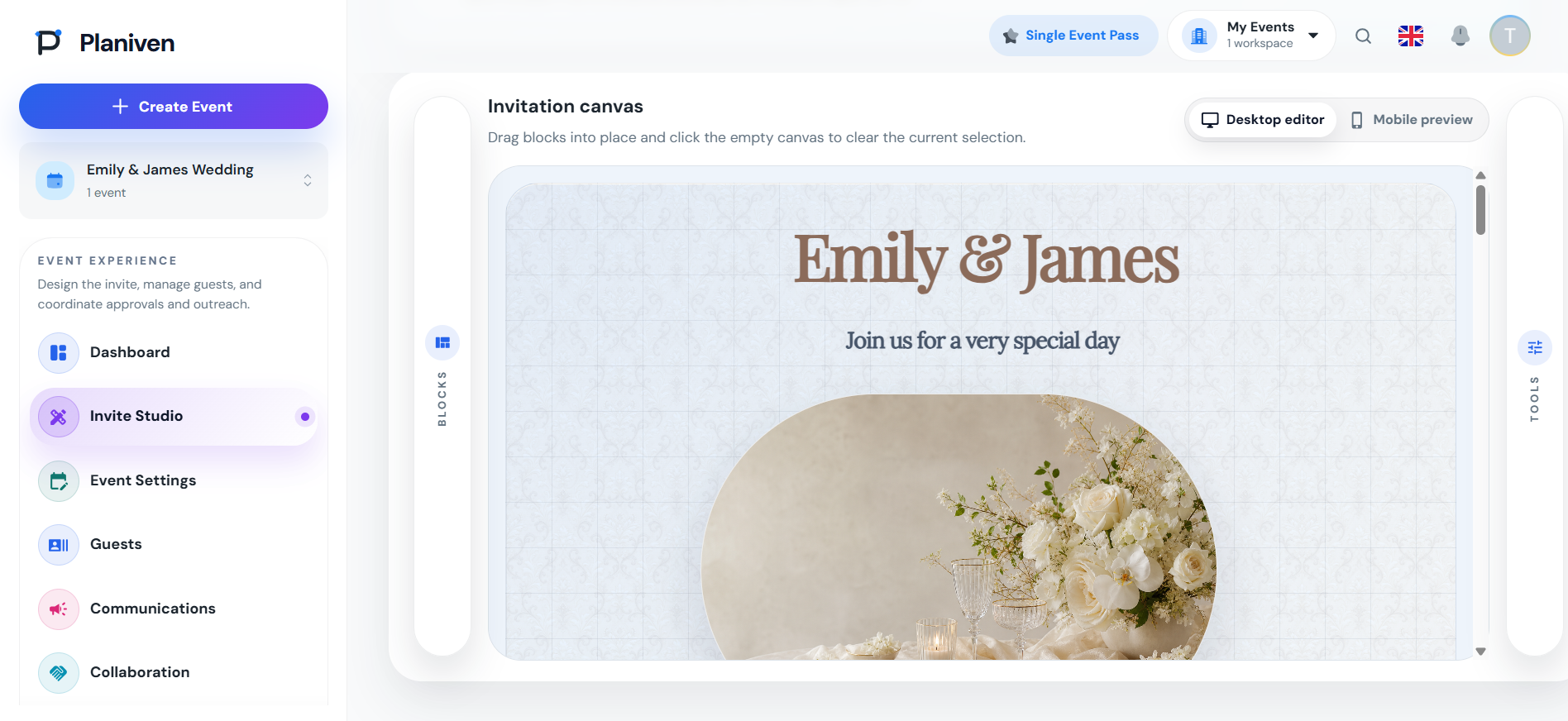
Create a personal invitation and publish it when you’re ready.
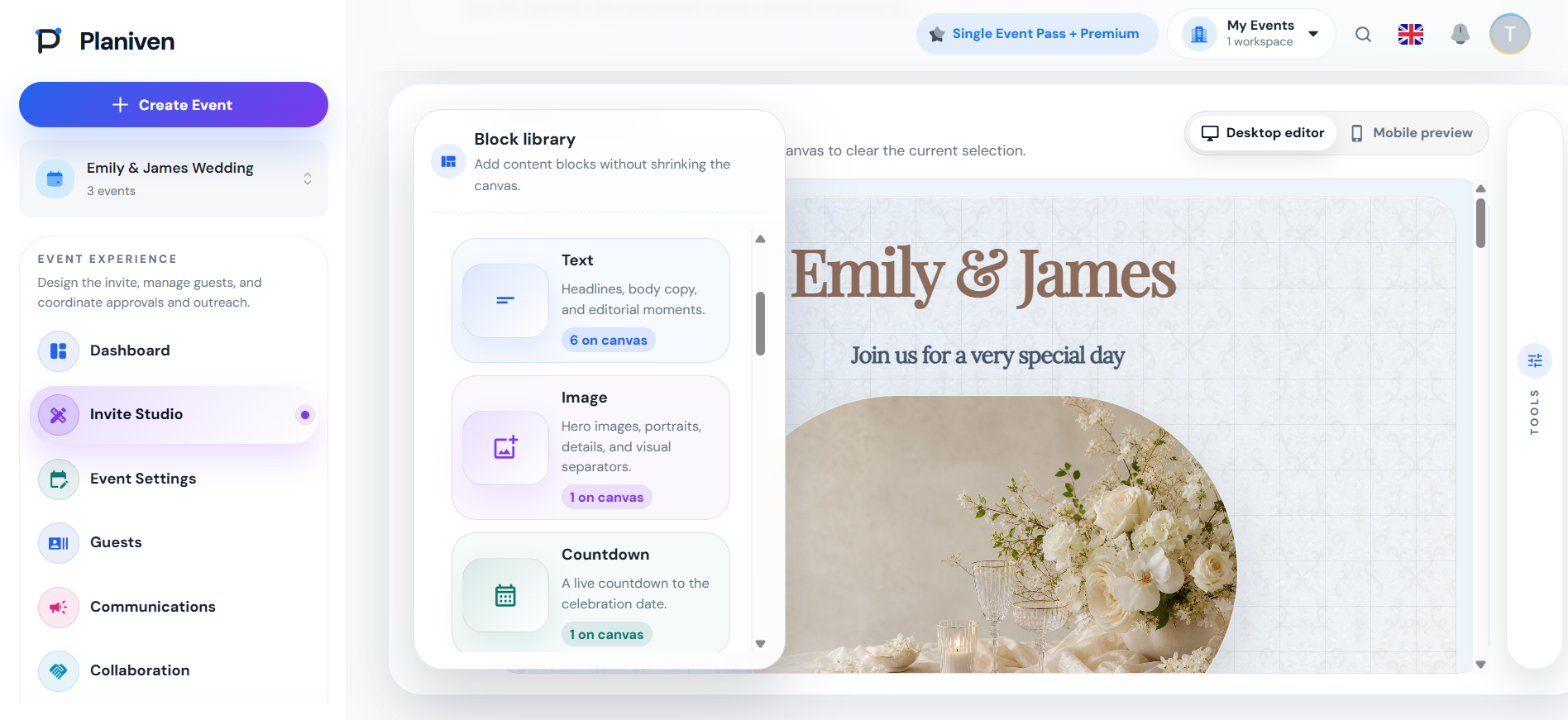
Add and arrange invitation blocks.
Customize every detail and preview your design.
Preview exactly what guests will see.
Know where the event stands.
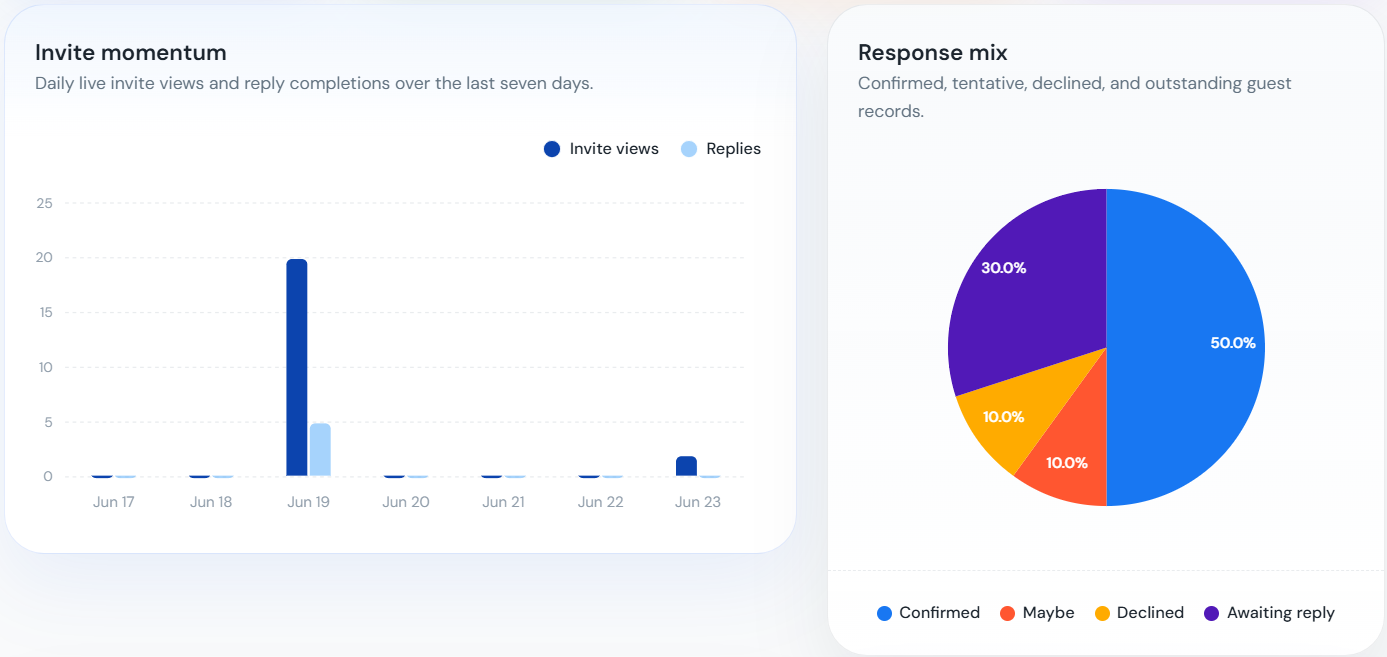
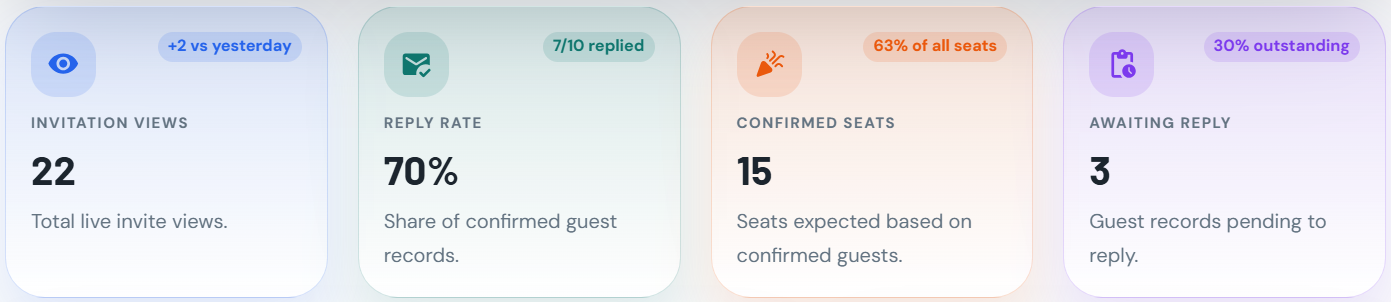
Review invitation activity, replies, confirmed seats, and guests who have not responded.
Review invitation views, reply rate, confirmed seats, and guests still awaiting a response.
See daily invitation views and replies.
Compare confirmed, pending, declined, and maybe responses.
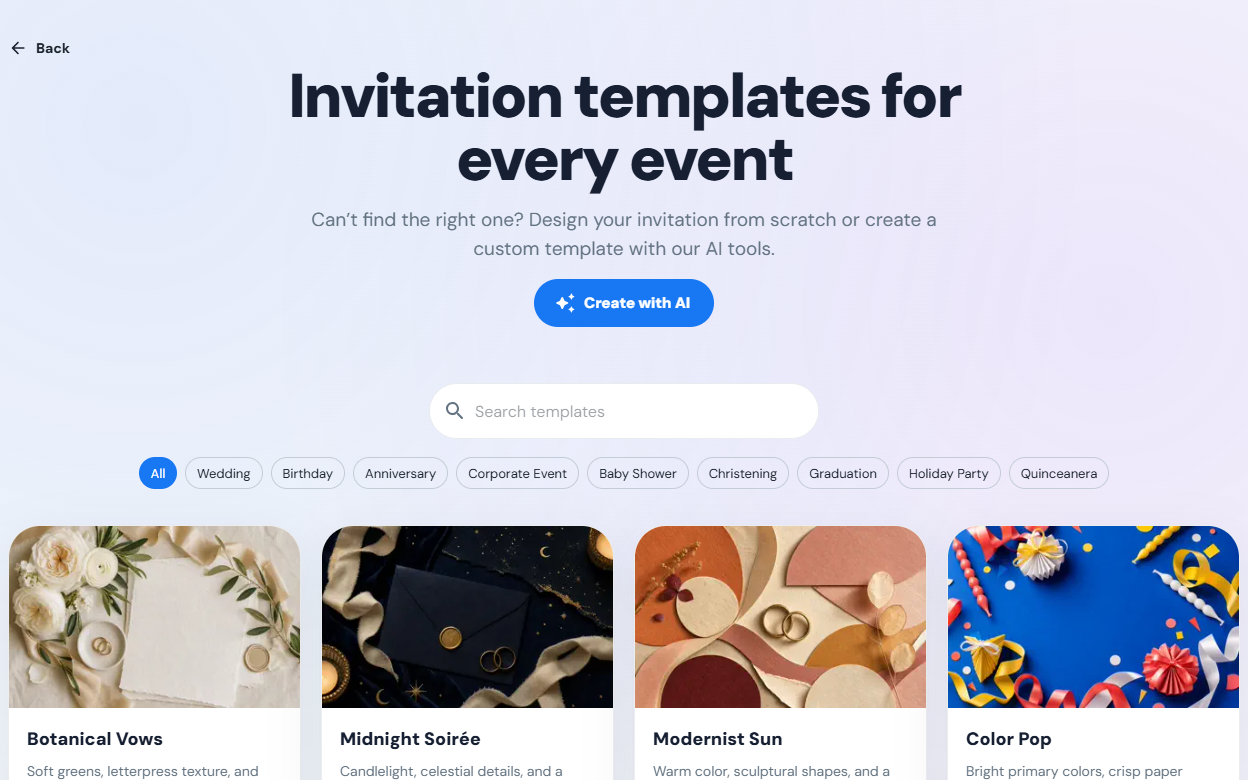
Choose a template or create one with AI.
Start with an included template, or describe the look you want and generate a design you can use again.
Pick from ready-made defaults for common celebration types.
Generate themed templates from a plain-language brief.
Save your favorite templates for your celebrations.
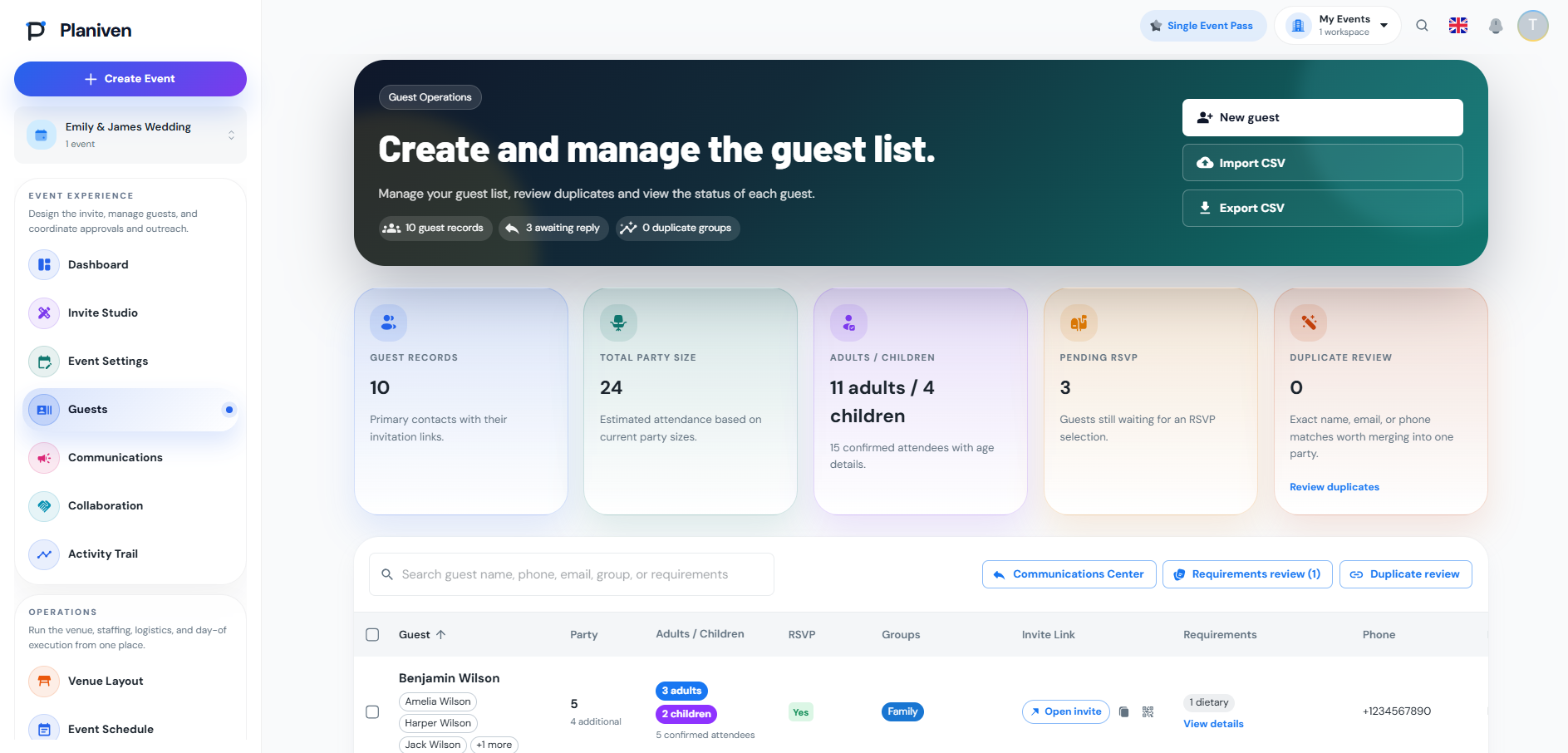
Keep guest details together.
Import guests, track responses, manage parties and duplicates, and record dietary, accessibility, and seating needs.
Import, clean, and merge guest records.
Review guest needs before sharing them with vendors.
Keep each guest’s invite link and QR code with their record.
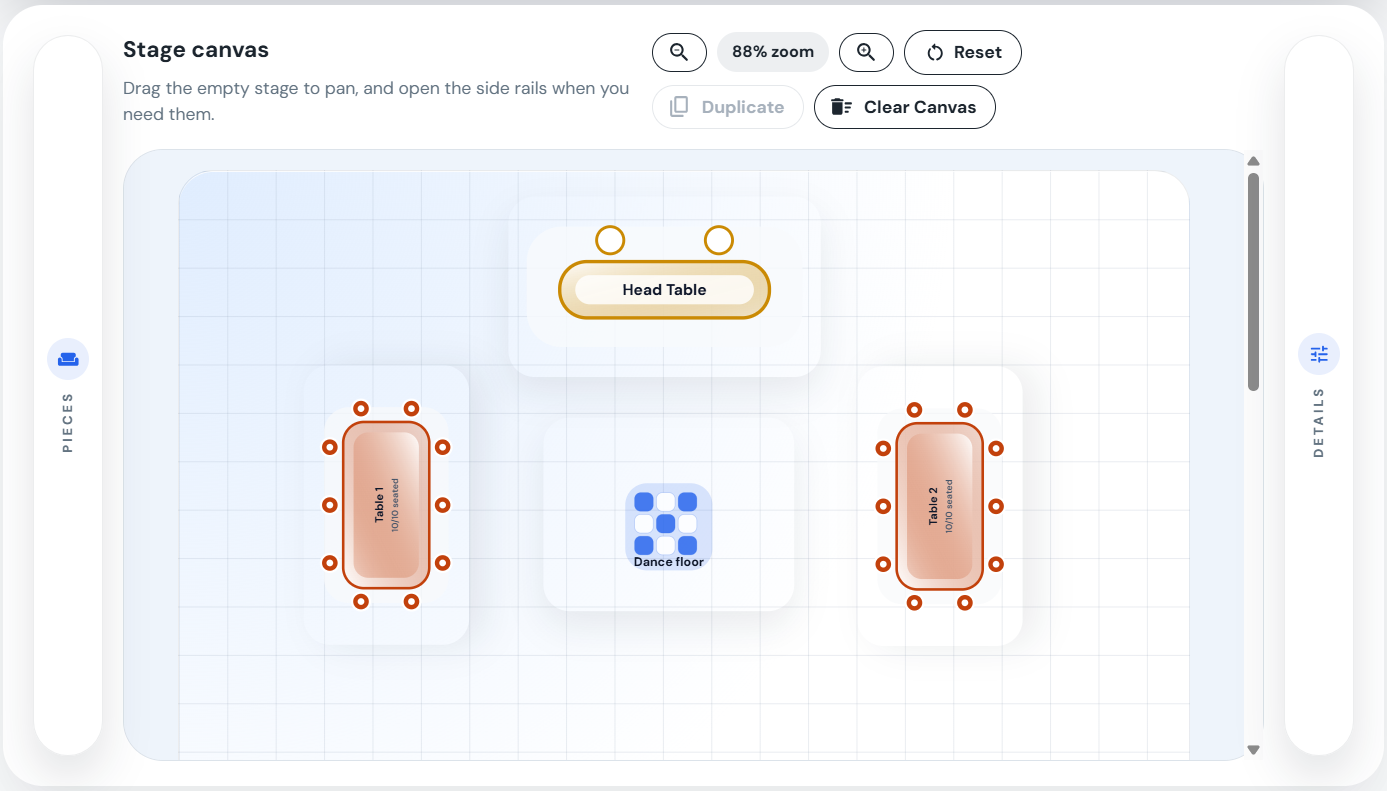
Plan tables and seating visually.
Place tables on the floor plan, assign parties or individual seats, and check table capacity.
Add round, rectangular, and head tables to the floor plan.
Assign individual guests or whole parties.
Review assignments and detect inconsistencies.
Assign individual guests or whole parties.
Review assignments and detect inconsistencies.
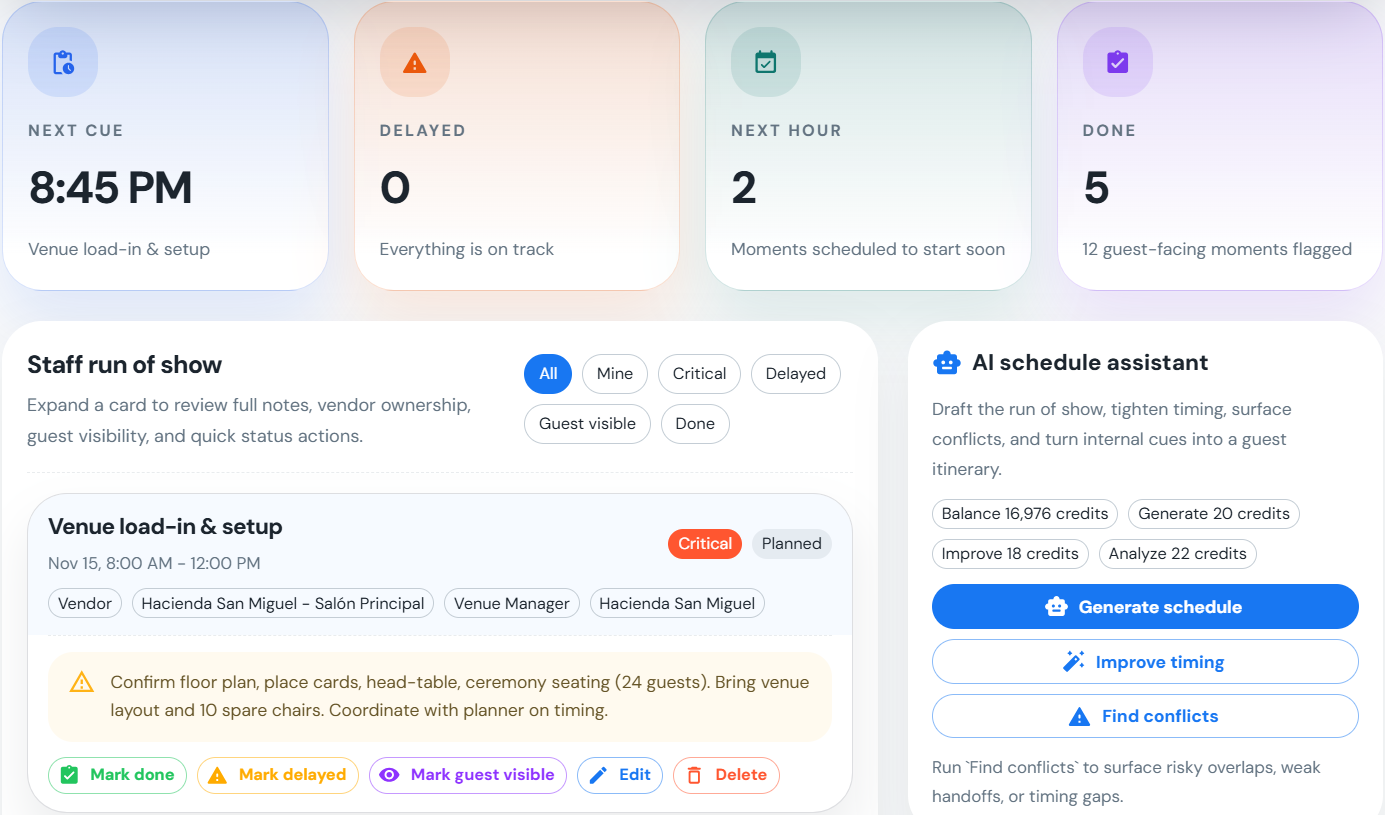
Keep the event day on schedule.
Manage the schedule, tasks, arrivals, messages, and activity history.
Plan your event timeline and share the guest itinerary.
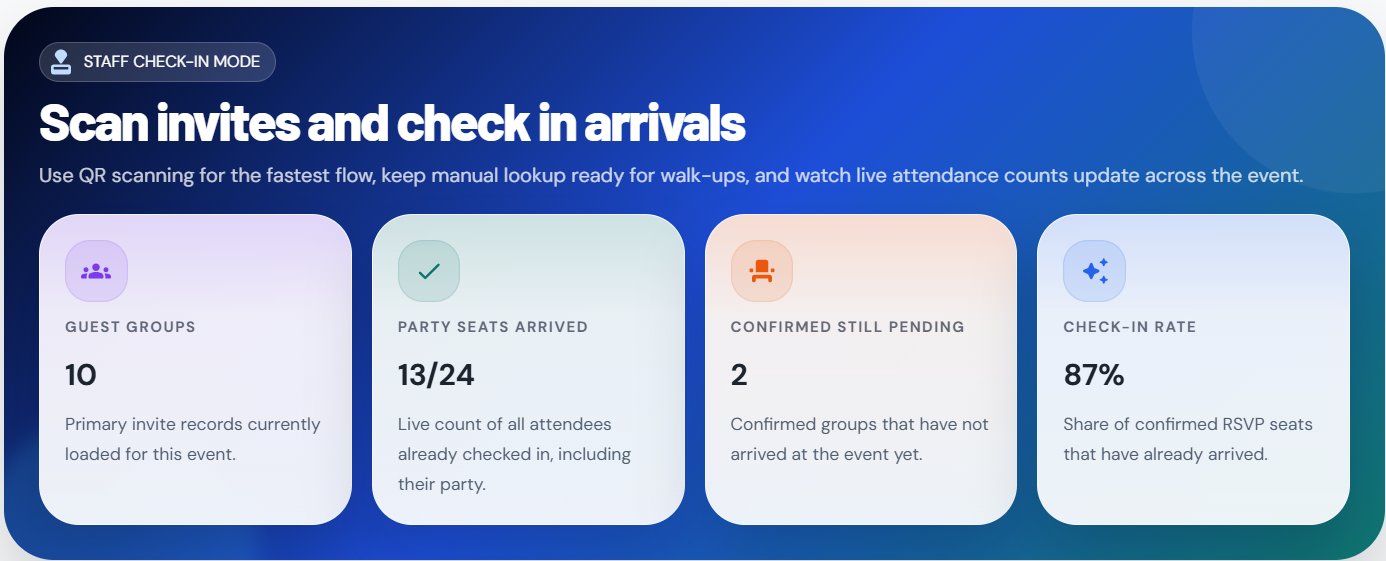
Scan QR codes or search manually at arrival.
Keep your celebration on track with your own checklist.
Make it a day to remember.
From weddings and birthdays to baby showers and graduations, keep the details together in one place.
For one-time hosts
Create the invitation, manage guests, plan seating, and check people in.
Create the invitation
Track RSVPs and guest needs
Place guests at tables visually
Manage the invitation, guests, seating, and event day.
Start with your invitation. Add guests and planning details as you go.